Early access opening soon. Jobs and figures on this page are samples.
NexusTradie
Construction management software

Site and office on the same job.

Plan every job by phase, record hours with unpaid breaks, and see what each job has invoiced and cost so far. Your crews see their own phases. Your office sees the whole job.

Built for whole jobs and for the teams that do one part of them

  • Builders
  • Commercial fit-out
  • Facades
  • Electrical
  • Carpentry
  • Renovations
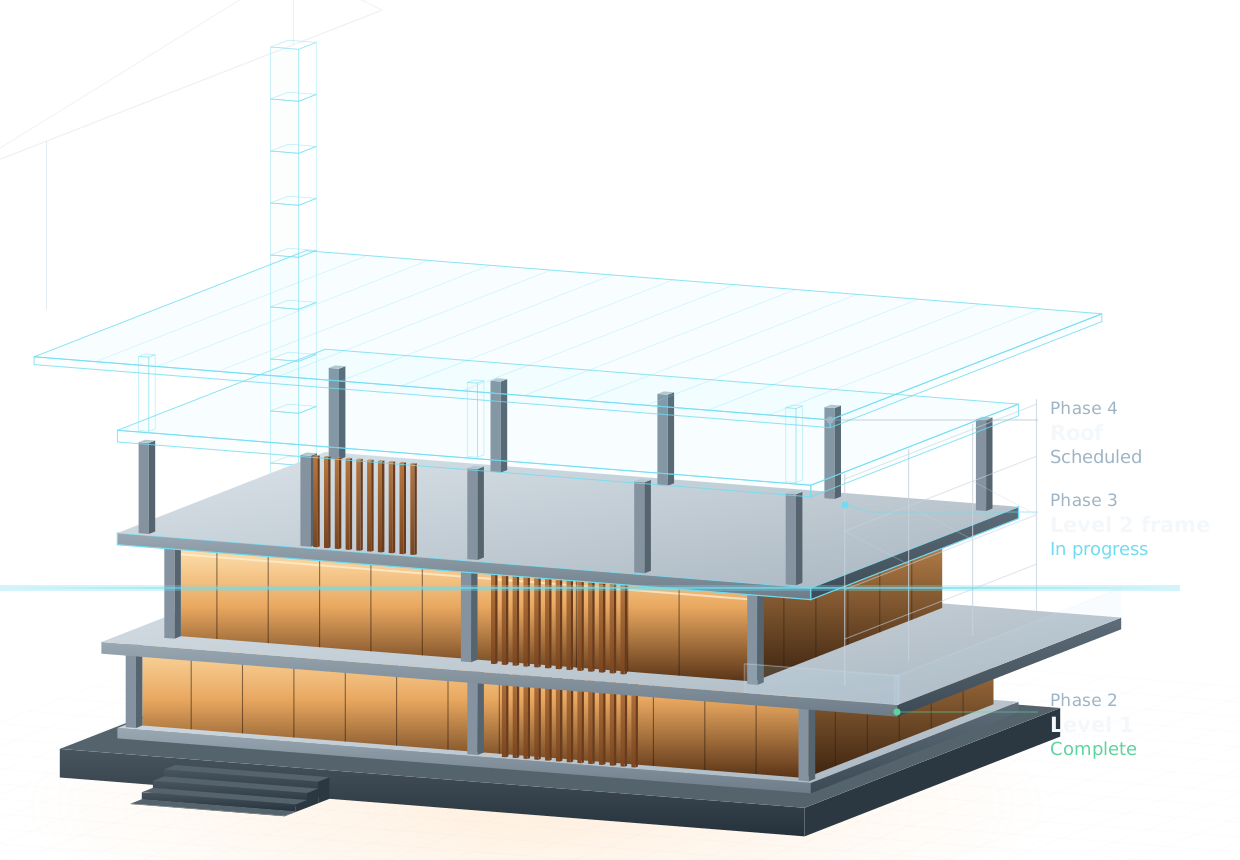
Illustration: a building shown floor by floor — lower floors built, one floor in progress, the roof still planned
Parkline mixed-useSample job
Parramatta NSW · 4 phases
  1. StructureComplete
  2. FacadeIn progress
  3. Services rough-inIn progress
  4. Retail fit-outScheduled

The crew works on their phase. The office sees the whole job.

Both look at the same job. Hours, phases and money live on the job, so nobody has to copy them from a group chat, a notebook or a spreadsheet at the end of the week.

Sample job and figures. The office screen works today; the site messages in the "From site" column are in development.

Every job, phase by phase.

One line per job: which phases are done, which are running, and what the job has invoiced and cost. When a job has no costs recorded, it says so instead of showing a result of zero.

JobPhasesInvoicedCostsResult
In development: job conversations and the assistant

Send it from the job. It lands where it belongs.

Each job has one conversation for the people working on it. Photos, voice notes and documents are filed on the job and phase, with the original message kept alongside.

A photo with a note

Saved as a progress update. The crew member can correct where it went at any time.

Goes to Site diary · Facade

A voice note

Heard before sending, then kept with the phase it was sent from.

Goes to Conversation · Services rough-in

A document

Filed on the job. Being on a phase doesn't open every document: a contract can stay with the office.

Goes to Job documents

Time on the phase

Start, unpaid pause and stop are recorded by the server. This part works today.

Goes to Hours · Facade

What works today, and what is being built.

We only describe what the product does now. Everything else is marked as in development and may change before it ships.

No customer logos, reviews, prices, integrations or certifications appear on this page, because none are confirmed yet.

Works today

  • Customers, sites, jobs and phases, with status and archive.
  • Crew see only their phases, with no prices or costs.
  • Hours on the phase: start, unpaid pause and stop recorded by the server, or entered by hand.
  • Invoices and payments, including part payments and what is still owed.
  • Costs by job, with the result marked provisional until costs are complete.
  • Permissions per person, a record of who changed what, and English, Portuguese and Spanish.

In development

  • Job conversations with photos, voice notes and documents.
  • An assistant that files what arrives on the right job and phase, and can always be corrected.
  • Location at clock-in and clock-out only, never tracked through the day.
  • An app-store version. Today it runs in the browser on phone and computer.

Made for the way jobs are split.

Some companies run the whole job. Most do one part of someone else's. Both set up jobs the same way: a job, its phases, and the people on each phase.

Builders

Run every phase and every trade on the job, with invoicing and costs in one place.

Phases from slab to handover

Commercial fit-out

Short, busy jobs with many trades in a tight space, and variations to keep track of.

Strip-out, joinery, ceilings, handover

Facades

Crews on several buildings at once, each job split by elevation or level.

Scaffold, panels, sealing

Electrical

Rough-in now, fit-off weeks later. Each visit is its own phase with its own hours.

Rough-in, fit-off, testing

Carpentry

Framing, fix-out and decks across many small jobs, with apprentices clocking on.

Frame, fix-out, deck

Renovations

Homeowners as customers, one site at a time, and costs that change as walls come down.

Demolition, framing, kitchen and bath

Questions

Does my crew need to install an app?

No. It runs in the browser on any phone or computer. There is no app-store version yet.

Can the crew see prices or what a job costs?

No. Crew accounts show their own phases and hours. Invoices, costs and results are only visible to people you give that permission to.

How are breaks counted?

A pause is recorded as unpaid time and left out of the hours for that day. The office sees each pause next to the start and stop times.

Does it track where my crew is?

Not today. The design being built records location only at clock-in and clock-out, never through the day.

Which languages does it support?

English, Portuguese and Spanish. Each person can use the language they read best.

How much does it cost?

Pricing hasn't been set. It will be on this page before anyone is asked to pay.

Look around a sample job before you talk to anyone.

"Request a walkthrough" isn't connected yet: the contact form hasn't been built.

Early access is opening soon.

NexusTradie is in use on real jobs with its first builder. We are opening it to a small group of Australian builders and trades next. Follow @nexustradie to hear first.